
Screencast of the walkthrough from the desktop:
Screencast of the prototype walkthrough from the desktop
Screencast of the walkthrough from the phone:
Screencast of the prototype walkthrough from a phone
Features of building a prototype in Webflow
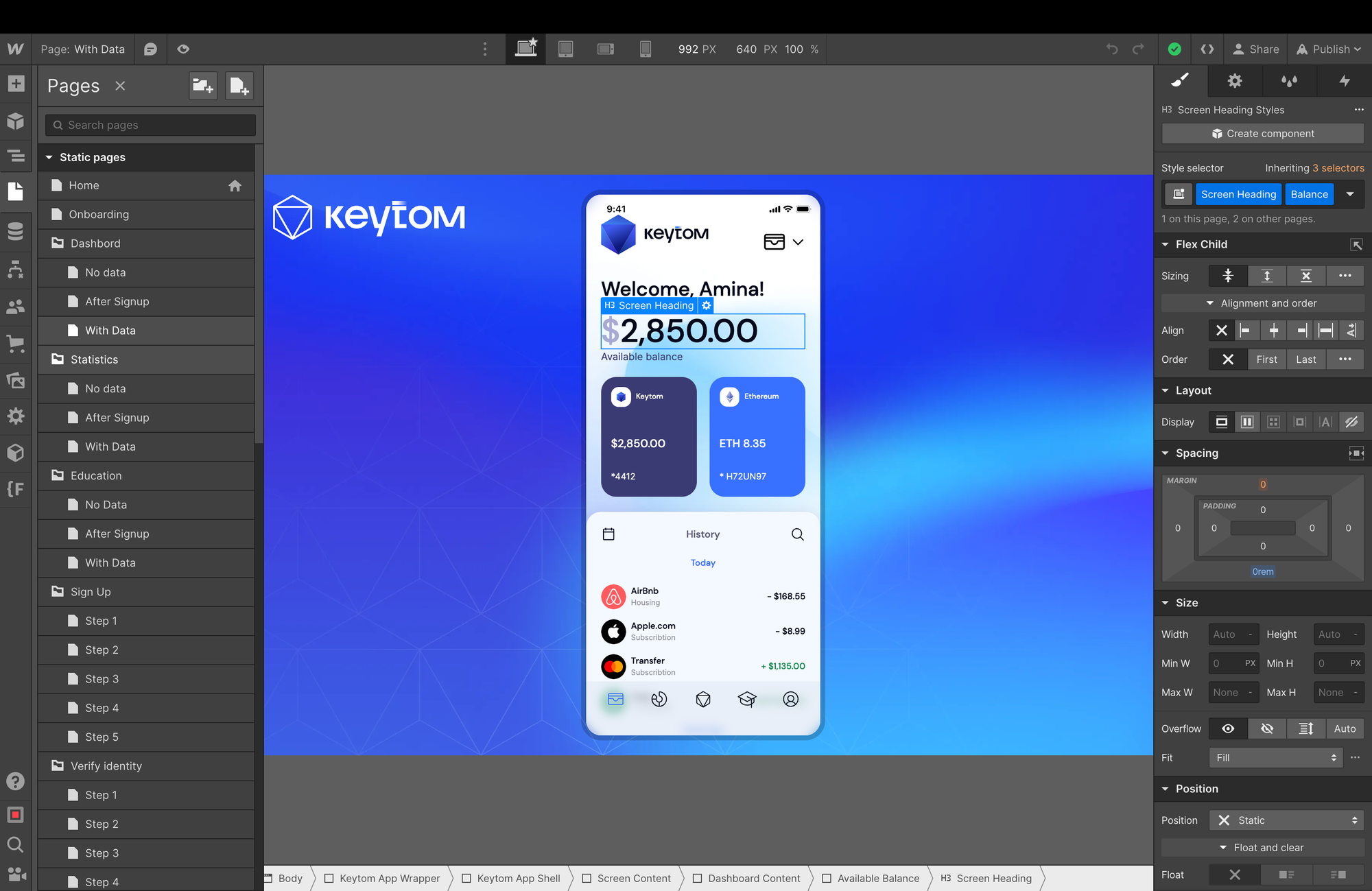
- There is a separate page for each screen or step in the prototype. At first I wanted to do it using animation and divide the prototype into large blocks and do all the small states inside one page, for example, changing slides or using animation, but I tried it and got very tired of these animations.
- In essence, this is a mini-site, although there are quite a lot of pages.
- All links and links were made using < link rel=»prerender» href=»url»> so that the browser downloads these pages in advance and the transition is seamless.
- For the desktop, I just made a mobile screen in the center of the page and didn’t bother with the correct proportion of the phone. But it looks good at almost all resolutions.
- On the phone the prototype looks very native, where it could have made live inputs, made imitation of selects, the result was pure fire!

Need a prototype?
If you need to launch a high-fidelity prototype of a mobile or web application for your business, write to me at hi@nevsky. me or knock on telegram @alexander_nevsky
Connect


Discussion