
There's a moment in a cold call when the other person is already talking and you're nodding along. But inside — silence. You didn't catch a word.
Especially when it's a British accent you've never heard before, or an Indian client speaking fast and with absolute confidence. Both were my daily reality during my first weeks as a broker in Dubai.
I'm a designer. I can architect complex systems. I understand products. But a phone call with an unfamiliar accent is its own separate skill — and it doesn't appear just because you want it to.
I could have just practiced and waited. I decided to build a tool instead.
What CallCoach is
A native iOS app built in Swift with Apple Intelligence and Live Translation.
During a call, it works in real time: transcribes the other person's speech and shows the text directly on screen, analyses what they said, and suggests responses — what to say next, how to continue, which question to ask.
This isn't transcription for its own sake. It's a script assistant that appears exactly when you need it — in a live conversation, with no delay.
Why Swift and Apple Intelligence
I could have used any web stack. But web doesn't give the speed or the native integration with the microphone and system APIs that I needed.
Apple Intelligence is a powerful language engine running locally on the device. No cloud requests, no latency, no conversation data leaking anywhere. Everything happens on the phone.
Live Translation handles accented English with the accuracy I needed. Exactly right for multinational Dubai.
How it changed the work
When you can see the text of what the other person is saying — the anxiety disappears. You stop burning energy on "what did he say" and start thinking about "what do I say next."
From survival mode to dialogue mode. That's a fundamental shift.
I'm still developing it. Next step: a script library for different scenarios — first call, objection handling, budget clarification, scheduling a meeting. Suggestions that appear not just as transcription, but as a smart contextual response to a specific phrase.
Why I'm sharing this
CallCoach is an example of how I think about products.
Not "what technology should I try" but "what problem needs solving." The problem was specific and personal. The solution — native, fast, no unnecessary dependencies.
A designer who can write code isn't a developer. But sometimes that's exactly what keeps an idea from dying in the implementation queue.
Technical Implementation
From a technical point of view, I built CallCoach as a real working tool, not as a concept.
I started by shaping the idea and the architecture together with ChatGPT: defining the product problem, mapping the user flow, and writing a long starter prompt for Codex so it could generate the base Swift project, set up dependencies, and assemble the first working skeleton of the app.
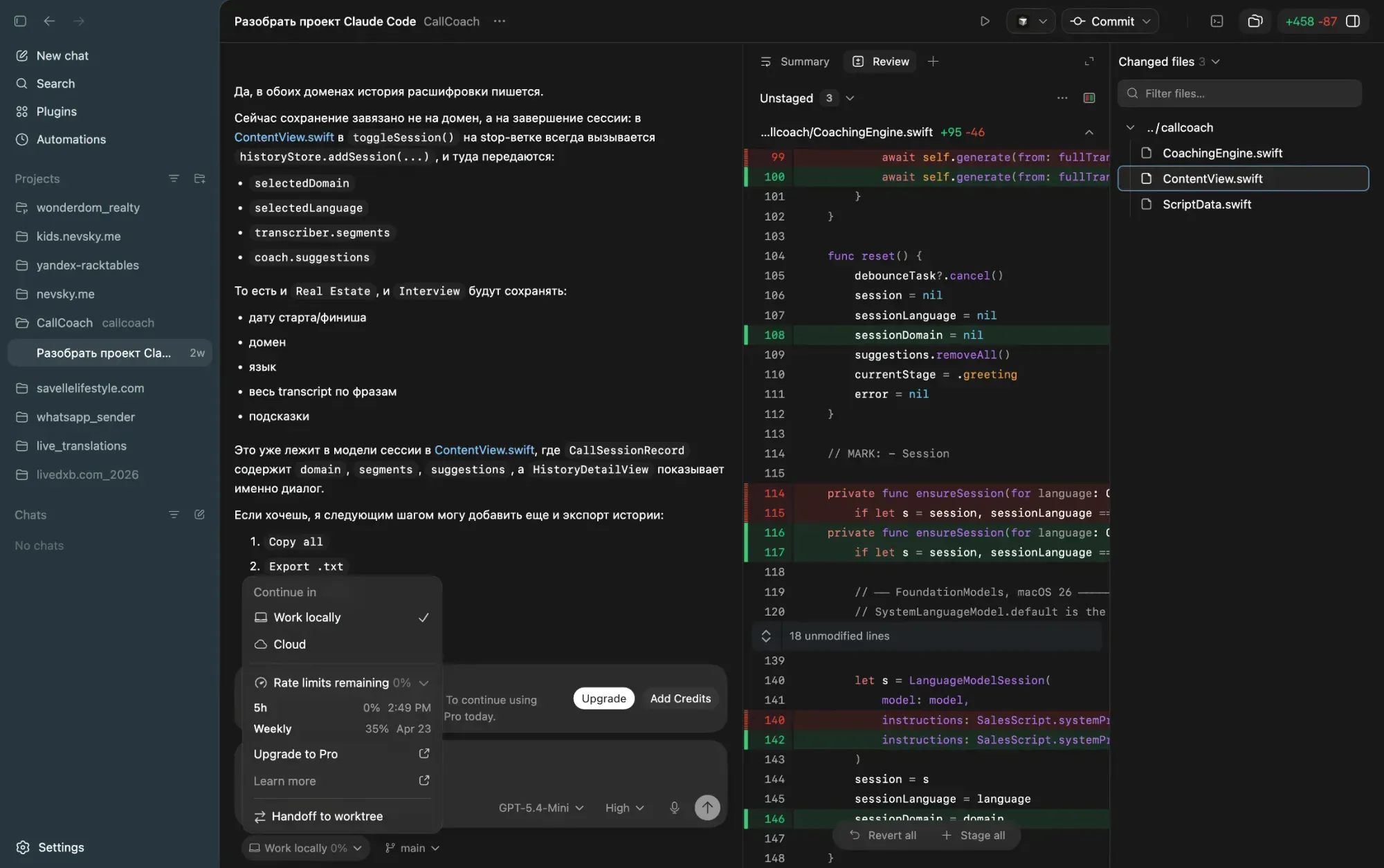
When my Codex token window ran out, I handed the project over to Claude Code. From that point on, most of the “heavy lifting” happened there, using Opus 4.7.
That model turned out to be especially strong over a long engineering distance: it thinks for a long time, consumes a lot of tokens, but it holds architecture well, writes connected code carefully, and helps move a project toward a real working state.
After that, I kept moving back into Xcode: building the app, running tests, catching crashes, sending error states back into Claude Code, and fixing issues together. Some changes I made directly inside Xcode as well, where I also connected both Codex and Claude as local assistants.
How the app works
The app itself is built around on-device speech processing.
In the basic mode, CallCoach can listen through the microphone and display live transcription. But the key technical breakthrough was speaker separation.
The main problem was simple: when a call is on speaker, the microphone hears both voices — yours and the other person’s. That makes the transcript noisy and much less useful for coaching.
To solve that, I implemented two operating modes.
Mode 1 — System Audio
This is the main and recommended mode.
Using ScreenCaptureKit, the app captures system audio output — in other words, only what is playing through the speakers. That makes it possible to transcribe the other person’s voice without capturing my own voice from the microphone.
It also uses the flag excludesCurrentProcessAudio = true to exclude sounds generated by CallCoach itself.
On first launch, macOS asks for Screen Recording permission, because system audio capture is not possible without it.
Mode 2 — Microphone + Push-to-Mute
This is the fallback mode.
Here, the app uses ordinary microphone capture, but while I am speaking, I can hold a button that temporarily stops audio buffers from being sent into the transcriber.
The logic is very simple: when I speak, I hold the button; when I finish, I release it, and the app goes back to listening to the other side.
What was implemented in code
Architecturally, the app is split into several managers, each responsible for a specific part of the pipeline.
AudioCaptureManager
This component handles audio capture through AVAudioEngine.
- it uses
installTaponinputNode startRecording()returnsAsyncStream<AVAudioPCMBuffer>- audio buffers are passed downstream without actor-crossing issues
- it also calculates signal level through RMS and dB metering
- UI updates are posted onto
@MainActorthroughTask
SystemAudioCaptureManager
This is a separate class I added for capturing system audio through SCStream.
This is the part that made it possible to build a mode where only the other person’s voice from the speakers enters the transcript, instead of all surrounding acoustic input.
TranscriptionManager
This layer takes the audio buffer stream and passes it into SpeechAnalyzer from the Speech framework.
From there, it iterates over AsyncThrowingStream<SpeechTranscriptionResult>, separates partial and final transcription, and explicitly manages transitions onto @MainActor.
So this is no longer just “convert sound into text,” but a proper streaming transcription layer integrated into a live interface.
CoachingEngine
This is the logic layer that turns plain transcription into an actual conversational tool.
processNewTranscript(_:)uses a 1.5 second debounce- the previous
Taskis cancelled when a new piece of speech arrives LanguageModelSessionis created once per session and then reused- conversational history is preserved
- the parser reads outputs in the format
[TYPE]: textwith fallback to.phrase - the current call stage is detected through keywords
- only the last roughly 300 words are sent into the model instead of the full transcript
I also injected domain context for the Dubai market: Emaar, DAMAC, Binghatti, ROI, reservation, meeting, Zoom, and other signals typical for that kind of conversation.
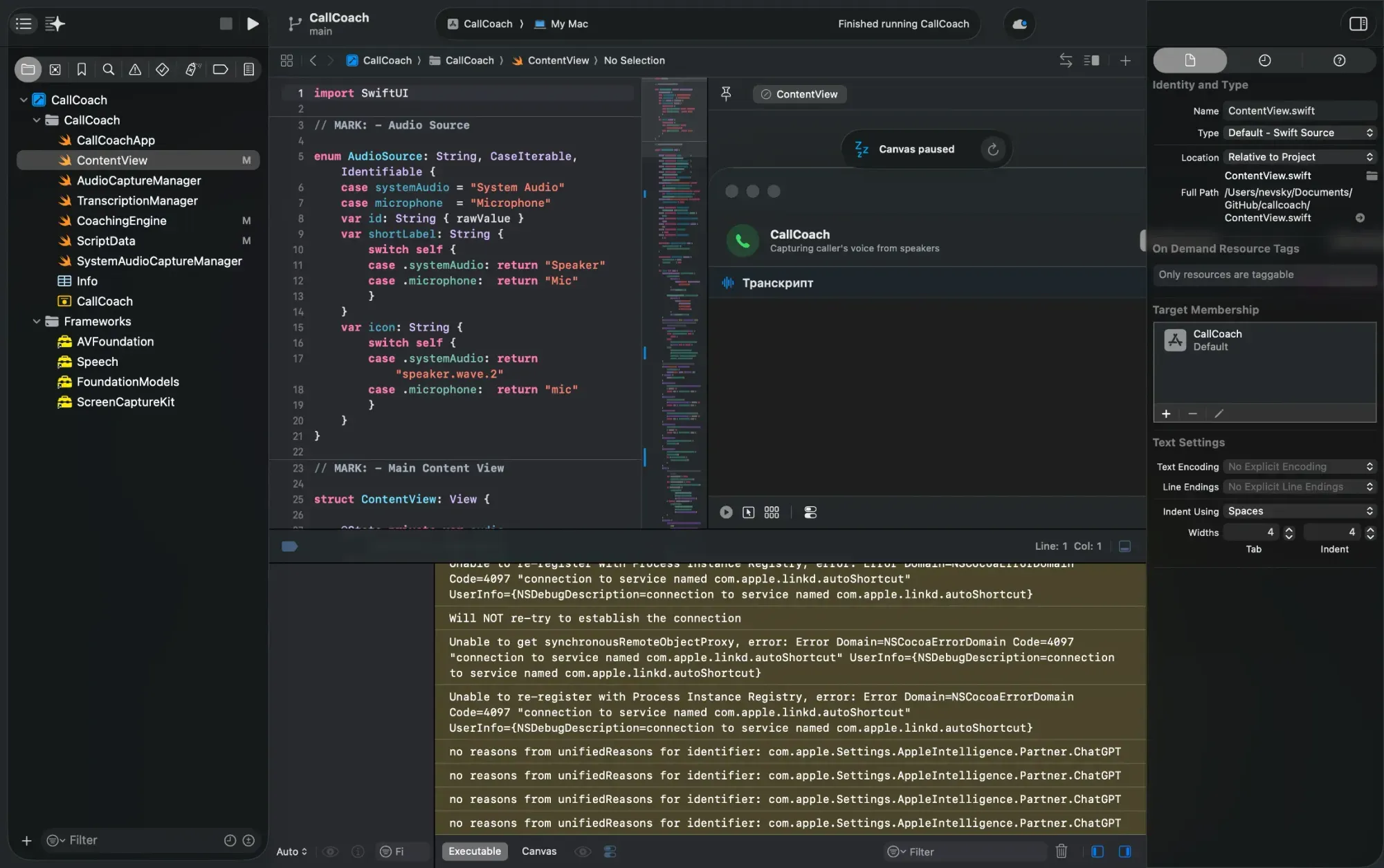
ContentView
This is where everything is wired into the user interface.
.taskrequests microphone permission on launch.onChange(segments.count)triggerscoach.processNewTranscripttoggleSession()passes the stream and format intostartTranscription- manager errors are surfaced through separate
.onChangehandlers
This is the layer that makes the app feel alive: switching audio sources, starting and stopping sessions, mute logic, error handling, and live updating suggestions.
How I trained the suggestions
I also fed the system with applied context.
For the cold-calling scenario, I used real sales scripts: greeting, keeping the conversation going, basic qualification, budget clarification, handling hesitation, and closing either toward a meeting or a more detailed Zoom call.
These were not abstract internet templates. They were based on the logic we were taught at SPI Dubai.
That made the suggestions much more practical. Not just “say something polite,” but actual continuation of the conversation in the right structure and at the right stage.
Second scenario — product design interviews
At the same time, I built a second use case on top of the same system: support during product designer interviews.
There, I trained the model on my own projects, case studies, and portfolio, so it could help not with cold calling, but with a different type of conversation — one where you need to answer quickly, confidently, and structurally about your own experience.
So in practice, CallCoach became not just a speech-to-text app, but a more universal conversational assistant that can be adapted to a specific communication scenario.
What the actual development process looked like
And honestly, for me this is also a useful example of what real product development looks like today.
The idea starts from a personal pain point.
The architecture is assembled quickly with the help of language models.
The heavy code is written in collaboration with agentic tools.
The final polish happens by hand in Xcode — through builds, crashes, debugging, and repeated iterations.
Not “AI magic,” but a normal engineering process, just accelerated by new tools.
Changelog / how CallCoach was built
1. Defining the idea
- I identified a concrete problem: during cold calls with British and Indian accents, part of the speech was simply too hard to catch in real time.
- I defined the product task: not just transcribe the conversation, but help carry it forward.
- Together with ChatGPT, I worked through the concept, user flow, and future structure of the app.
- I generated a long starter prompt for Codex so it could quickly scaffold the Swift project.
2. First project assembly
- Codex created the base Swift project.
- Core dependencies were set up.
- The base architecture was prepared.
- The first runnable prototype was assembled.
3. Main engineering implementation
- After the Codex token window expired, the project was handed over to Claude Code.
- Most of the implementation continued with Opus 4.7.
- Claude Code built the main body of the app: audio capture, transcription, coaching logic, and interface wiring.
4. Solving the main product problem — speaker separation
- The key issue was identified: the microphone hears both the user and the other person.
- Two modes were implemented:
- System Audio — capture only system audio output through
ScreenCaptureKit - Microphone + Push-to-Mute — fallback mode with manual buffer suppression
- System Audio — capture only system audio output through
excludesCurrentProcessAudio = truewas added to exclude the app’s own sounds.
5. Implemented components
SystemAudioCaptureManager.swift— new class for system audio capture throughSCStreamAudioCaptureManager.swift— audio capture throughAVAudioEngine, with addedisMutedTranscriptionManager— streaming transcription viaSpeechAnalyzerCoachingEngine— debounce, reusable model session, phrase parsing, call-stage logicContentView.swift— session control, audio source switching, error handling, buttons, and UIInfo.plist— permissions for system captureproject.pbxproj—ScreenCaptureKit.frameworkintegration
6. Debugging and testing
- Builds and runs were handled through Xcode.
- Every time the app crashed, the error was sent back into Claude Code.
- Fixes were done iteratively: Xcode → crash/error → Claude Code → fix → new build.
- Some smaller changes were made directly inside Xcode with Codex and Claude connected there as well.
7. Training for real scenarios
- For cold calling, the system was fed with real sales scripts:
- greeting
- regular small talk
- lead qualification
- interest detection
- closing toward a meeting or Zoom
- These scripts were based on actual training and practice at SPI Dubai.
- In parallel, a second use case was added: support for product design interviews.
- For that mode, the model was trained on my own projects, case studies, and portfolio.
8. What came out in the end
- on-device transcription without sending data to the cloud
- real-time suggestions during live conversation
- separate logic for sales calls and interviews
- native stack without web-layer compromises
- a working product built through a chain of ChatGPT + Codex + Claude Code + Xcode


Discussion